

Dysgraphia is a specific learning difficulty that affects a child’s ability to write coherently and legibly. It is often characterised by difficulties in handwriting, spelling, and organising thoughts on paper. As we delve into this topic, we recognise that dysgraphia can significantly impact a child’s academic performance and self-esteem.
Understanding this condition is crucial for parents, educators, and caregivers, as it allows us to provide the necessary support and resources to help children thrive. In our journey to support children with dysgraphia, we must acknowledge that it is not merely a lack of effort or motivation. Instead, it stems from neurological differences that affect fine motor skills and the cognitive processes involved in writing.
By fostering an environment of understanding and empathy, we can empower children to overcome these challenges and develop their writing abilities.
Summary
- Dysgraphia is a learning difficulty affecting handwriting and writing skills, particularly in children.
- Assistive technology plays a crucial role in supporting children with dysgraphia to overcome writing challenges.
- Selecting the right apps involves considering ease of use, engagement, and specific skill development needs.
- Various apps target handwriting, spelling, fine motor skills, organisation, speech-to-text, and typing to aid children with dysgraphia.
- Empowering children through tailored technology enhances their confidence and academic success.
Understanding Dysgraphia in Children
When we consider dysgraphia in children, it is essential to recognise the various manifestations of this condition. Children with dysgraphia may struggle with letter formation, spacing between words, and maintaining consistent size and alignment. These challenges can lead to frustration and anxiety, making writing a daunting task rather than an enjoyable one.
As we observe these behaviours, we must remember that each child experiences dysgraphia differently, and their needs may vary. Moreover, dysgraphia often coexists with other learning difficulties, such as dyslexia or attention deficit hyperactivity disorder (ADHD). This overlap can complicate the identification and support of children with dysgraphia.
By understanding the broader context of a child’s learning profile, we can tailor our approach to meet their unique needs. We should also encourage open communication with teachers and specialists to ensure that we are all working together to support the child’s development.
Importance of Assistive Technology for Children with Dysgraphia
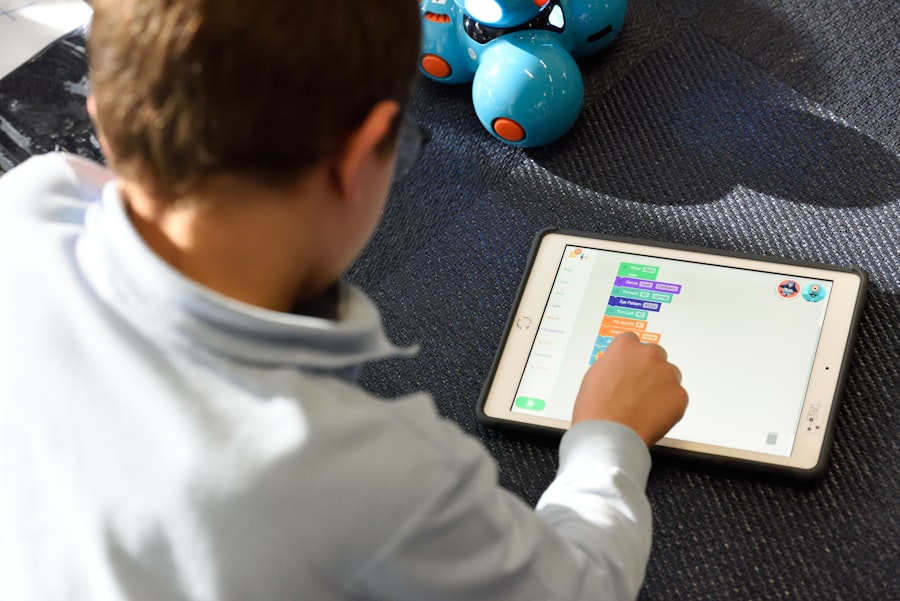
In today’s digital age, assistive technology plays a vital role in supporting children with dysgraphia. These tools can help bridge the gap between a child’s abilities and the demands of writing tasks. By incorporating technology into our educational practices, we can create a more inclusive environment that fosters learning and growth for all children.
Assistive technology can take many forms, from specialised apps designed to improve handwriting skills to speech-to-text software that allows children to express their thoughts without the constraints of traditional writing. By embracing these tools, we can empower children with dysgraphia to communicate effectively and confidently. Furthermore, technology can provide instant feedback and encouragement, helping children stay motivated as they work on their writing skills.
Criteria for Selecting Apps for Children with Dysgraphia
When we set out to select apps for children with dysgraphia, it is essential to consider several key criteria. First and foremost, the app should be user-friendly and engaging, capturing the child’s interest while providing valuable learning opportunities. We want to ensure that the app is intuitive enough for children to navigate independently, fostering a sense of autonomy in their learning journey.
Additionally, we should look for apps that offer personalised learning experiences. This means that the app should adapt to the child’s individual needs and progress, providing tailored exercises that target specific areas of difficulty. Furthermore, we should consider apps that incorporate multisensory approaches, as these can enhance learning by engaging multiple senses simultaneously.
By keeping these criteria in mind, we can select apps that truly support children with dysgraphia in their writing development.
Top Apps for Improving Handwriting Skills
As we explore the landscape of educational apps, several stand out for their effectiveness in improving handwriting skills. One such app is COCO THINKS, which offers engaging activities designed specifically for K12 students. Through interactive games and exercises, children can practice letter formation and develop their fine motor skills in a fun and supportive environment.
Another excellent option is COCO MOVES, which combines physical movement with writing practice. This app encourages children to engage their bodies while they learn, reinforcing the connection between physical coordination and handwriting skills. By incorporating movement into the learning process, we can help children develop muscle memory and improve their overall writing abilities.
Apps for Improving Spelling and Grammar

In addition to handwriting skills, it is crucial to address spelling and grammar for children with dysgraphia. Apps like SpellBoard provide a platform for children to practice spelling words through interactive games and quizzes. This app allows us to customise word lists based on the child’s needs, ensuring that they are working on relevant vocabulary while building their confidence in spelling.
Another valuable resource is Grammarly, which offers real-time feedback on grammar and punctuation as children write. This app not only helps improve writing mechanics but also encourages children to take ownership of their writing by providing suggestions for improvement. By utilising these tools, we can support children in developing their spelling and grammar skills alongside their handwriting abilities.
Apps for Developing Fine Motor Skills
Fine motor skills are essential for effective writing, and several apps focus specifically on developing these skills in children with dysgraphia. One such app is Dexteria, which offers a variety of activities designed to strengthen hand-eye coordination and finger dexterity. Through engaging games and exercises, children can improve their fine motor skills while having fun.
Another excellent option is LetterSchool, which teaches letter formation through interactive tracing activities. This app allows children to practice writing letters while receiving instant feedback on their progress. By focusing on fine motor skill development, we can help children build a strong foundation for successful writing.
Apps for Organizing and Planning Writing Tasks
For many children with dysgraphia, organising thoughts and planning writing tasks can be particularly challenging. Apps like MindMeister offer a visual platform for brainstorming and organising ideas before writing begins. By using mind maps, children can visually structure their thoughts, making it easier to translate them into written form.
Additionally, apps like Evernote provide tools for note-taking and organising information in a way that suits each child’s preferences. With features such as voice memos and image attachments, children can capture their ideas in various formats before crafting their written pieces. By equipping children with organisational tools, we can help them approach writing tasks with greater confidence and clarity.
Apps for Speech-to-Text and Dictation
Speech-to-text technology has revolutionised the way children with dysgraphia can express themselves in writing. Apps like Dragon NaturallySpeaking allow children to dictate their thoughts verbally, which are then transcribed into text on the screen. This technology removes the barriers associated with handwriting difficulties, enabling children to focus on their ideas rather than the mechanics of writing.
Another useful tool is Google Docs Voice Typing feature, which provides a free option for dictation within a familiar word processing environment. By incorporating speech-to-text technology into our educational practices, we can empower children with dysgraphia to communicate effectively without the constraints of traditional writing methods.
Apps for Improving Typing Skills
As we consider alternatives to traditional handwriting, improving typing skills becomes increasingly important for children with dysgraphia. TypingClub is an excellent app that offers structured lessons designed to teach touch typing in an engaging manner. By developing typing proficiency, children can express their thoughts more easily without the frustration associated with handwriting difficulties.
Another valuable resource is BBC Dance Mat Typing, which provides an interactive platform for learning typing skills through fun games and activities. By making typing enjoyable, we can encourage children to practice regularly while building their confidence in written communication.
Empowering Children with Dysgraphia through Technology
In conclusion, our exploration of dysgraphia has highlighted the importance of understanding this condition and providing appropriate support for affected children. Through the use of assistive technology and carefully selected apps, we can empower children with dysgraphia to overcome their challenges and develop essential writing skills. By embracing tools like COCO THINKS and COCO MOVES alongside other educational resources, we create an inclusive environment where all children can thrive.
As we continue our journey in supporting children with special needs through our online training courses for families and SENDCo teachers at Dynseo, we remain committed to fostering understanding and providing effective strategies for helping every child succeed. Together, let us champion the use of technology as a means of empowerment for children with dysgraphia, ensuring they have the tools they need to express themselves confidently and effectively in their writing endeavours.
For parents seeking effective tools to support children with dysgraphia, exploring the best apps tailored for their needs can be incredibly beneficial. A related article that may provide further insights is the one on top iPad learning games for kids, which highlights various educational applications that can enhance learning experiences and engagement for children facing writing challenges.